Identifier l'adresse MAC | VideoWave® III entertainment system - 55''
Connect the device running the app to the "Bose SoundTouch Wi-Fi Network" to obtain this info.
- Using the alternate network connectiong method, connect to the "Bose SoundTouch Wi-Fi Network." For more info, see Connecting to a Wi-Fi network
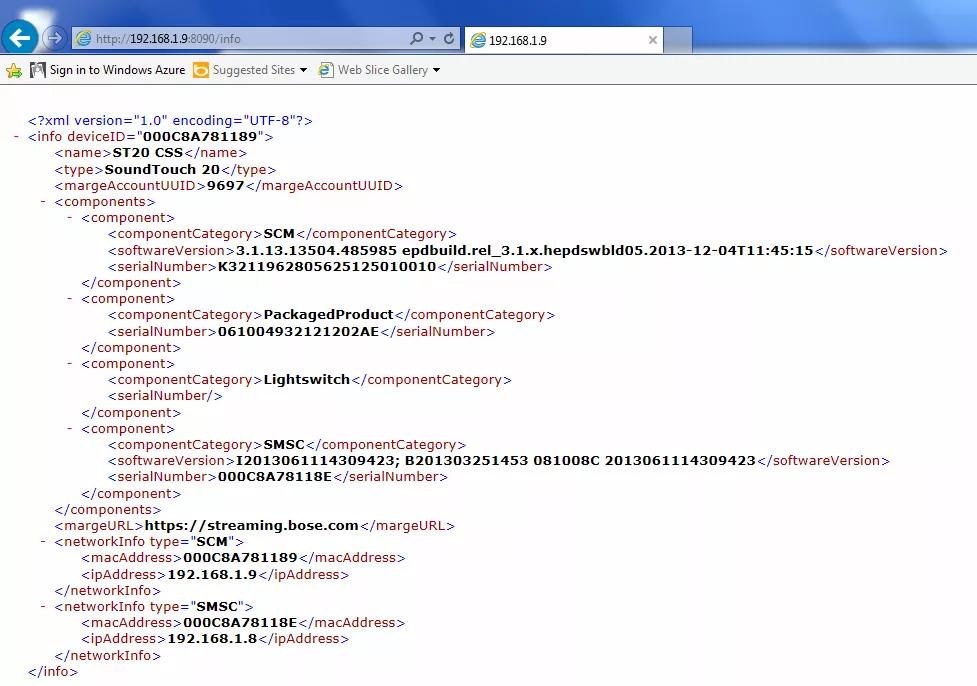
- Open a browser window, enter 192.168.1.1:8090/info in the address bar
- The following info will be shown:
- System Name
- System Type
- SoundTouch Account Number
- Firmware Version
- SCM Serial Number
- System Serial Number
- SoundTouch Controller Information (if connected)
- SCM Information (MAC Address, Serial Number)
- SMSC Information (MAC Address, Serial Number)
Pour afficher l'adresse MAC de l'adaptateur SoundTouch :
- Power on your system
- Sur la console système, maintenez le bouton Configuration enfoncé jusqu'à ce que l' écran informations système apparaisse sur votre téléviseur
Conseil : Si le menu système n'apparaît pas sur votre téléviseur, assurez-vous que l'entrée TV correcte est sélectionnée - Sur la télécommande, appuyez sur la flèche vers le haut pour afficher l' écran informations SoundTouch
- La ligne 5 indique l'adresse MAC Wi-Fi
- La ligne 6 indique l'adresse MAC Ethernet
Pour obtenir l'adresse MAC du système en utilisant une connexion USB en mode partage de connexion, suivez ces étapes :
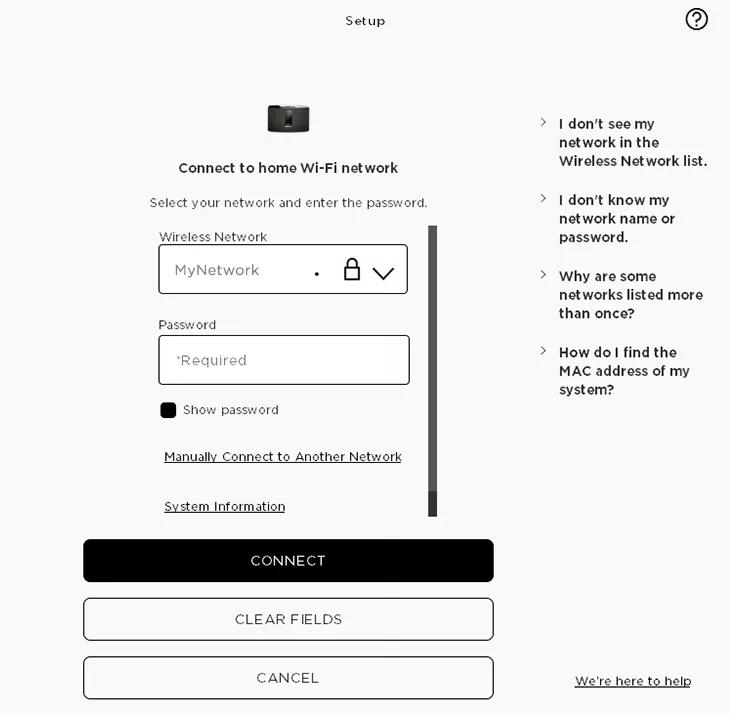
- Dans l'application SoundTouch sur ordinateur, commencez le processus de configuration (Paramètres > Ajouter ou Reconnecter un système)
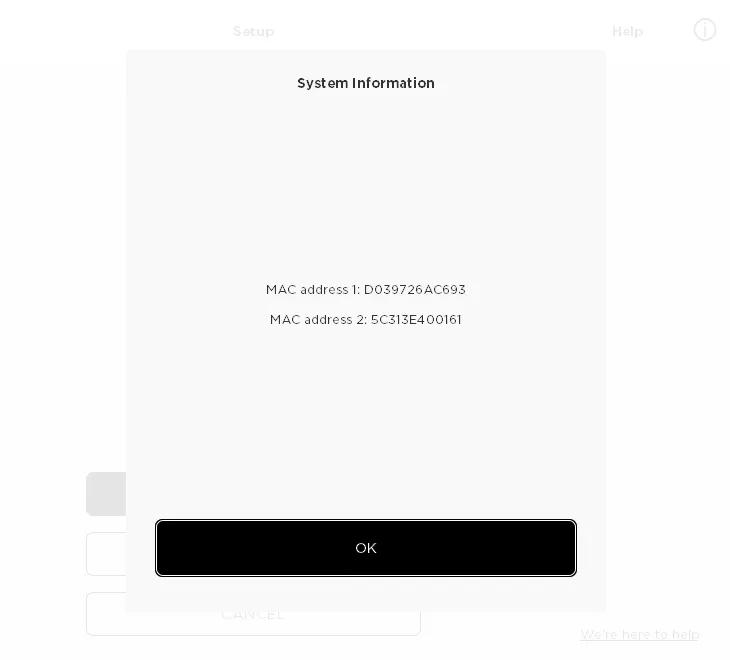
- Lorsque vous atteignez l'écran "Connecter au réseau Wi-Fi domestique" , choisissez "Informations système" pour voir l'adresse'MAC du système
Pour obtenir l'adresse MAC du système via une connexion USB filaire, suivez ces étapes :
- Connectez un câble USB de votre ordinateur au système SoundTouch.
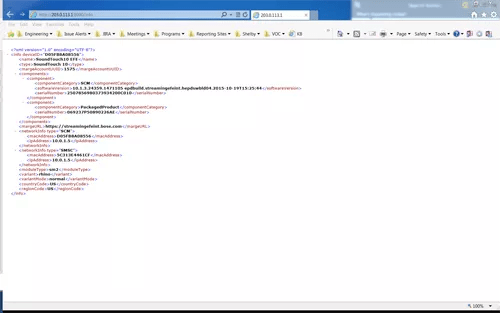
- Sur un ordinateur fixe ou portable, ouvrez un navigateur et allez à http://203.0.113.1:8090/info
- Les informations suivantes seront affichées :
- Nom du système
- Type de système
- Numéro de compte SoundTouch
- VERSION DU MICROPROGRAMME
- NUMÉRO DE SÉRIE SCM
- Numéro de série du système (SERIAL NUMBER)
- Informations sur le contrôleur SoundTouch (si connecté)
- Informations SCM (Adresse MAC, NUMÉRO DE SÉRIE)
- Informations SMSC (Adresse MAC, NUMÉRO DE SÉRIE)
Pour afficher l'adresse MAC du produit dans l’application SoundTouch :
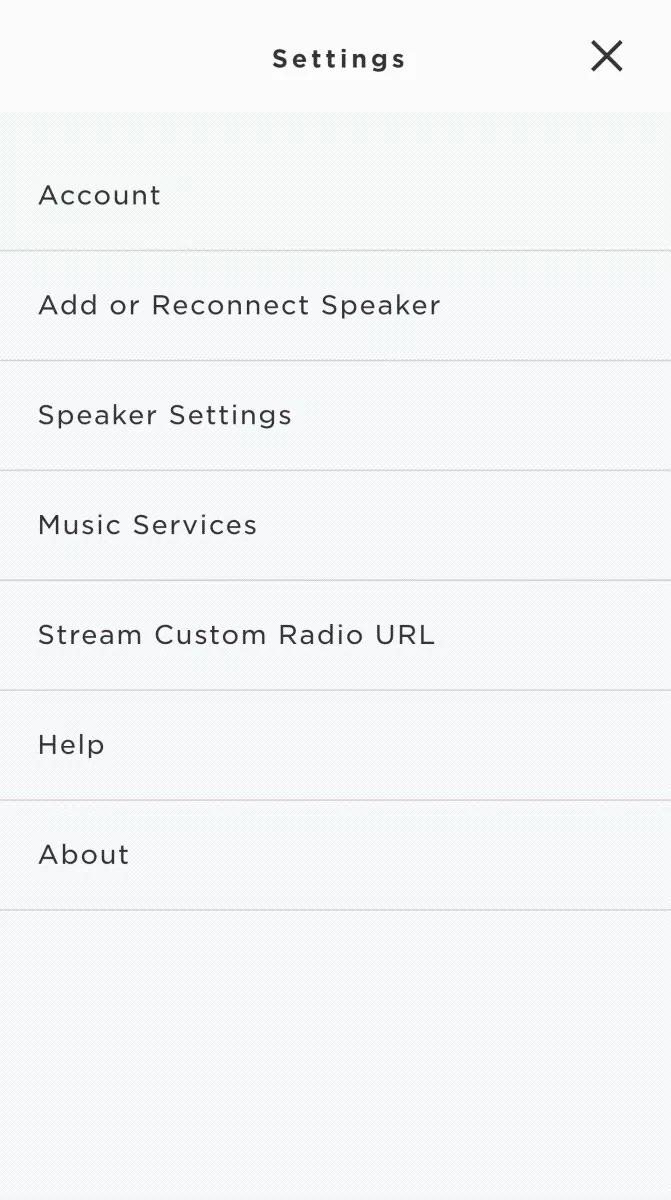
- Dans le menu de l'application SoundTouch, appuyez sur Paramètres
Conseil : pour ouvrir le menu de l'application, appuyez sur l'icône de menu ☰ en haut à gauche
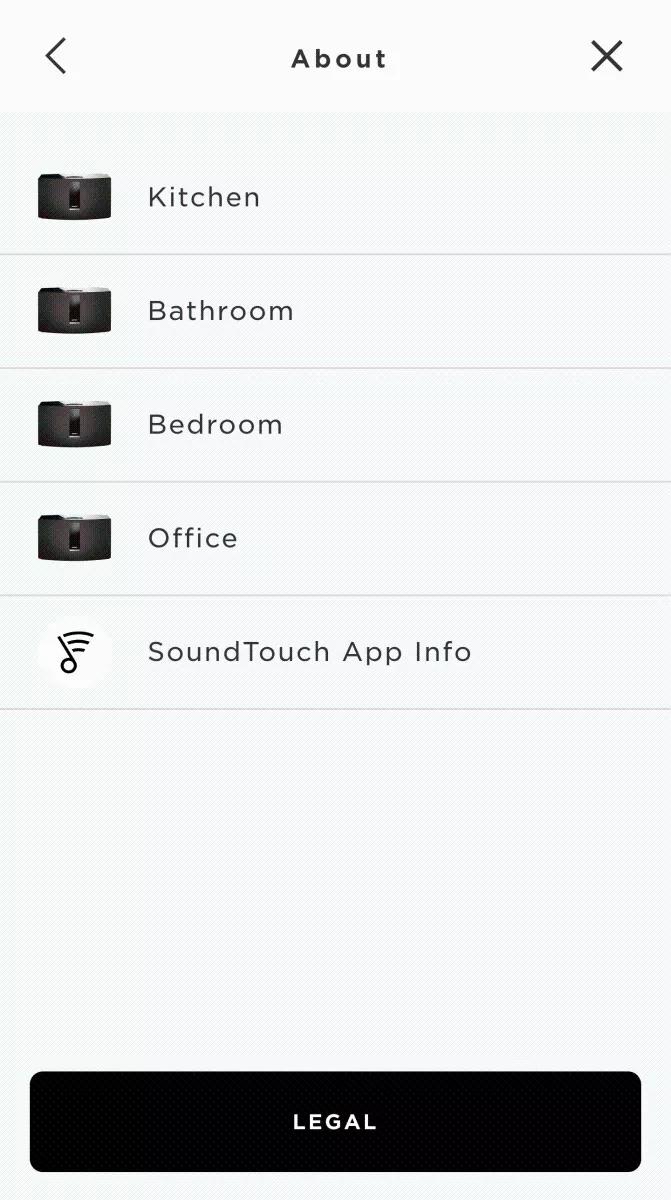
- Appuyez sur À propos, puis sélectionnez un système
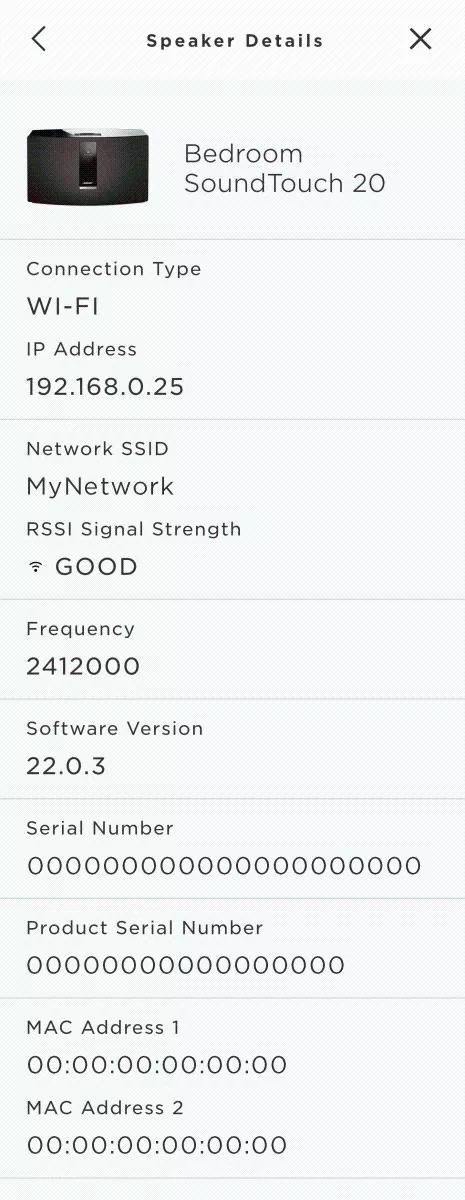
L'écran Détails de l'enceinte affiche les informations du système Sélectionné.