Pas de son | Bose Ultra Open Earbuds (2nd Gen)
bose-ultra-open-earbuds-(2nd-gen)
Écouteurs oreilles libres Bose Ultra (2e gĂ©nĂ©ration)Vendu Ă  partir de 2026

Pas de son | Bose Ultra Open Earbuds (2nd Gen)

Resync the earbud connection.

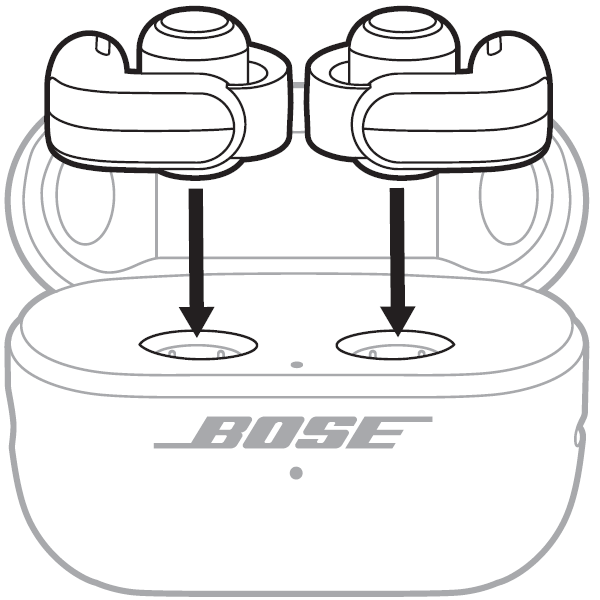
  1. If only one of the two earbuds is not working, place it into the charging case first. Keep the lid open. The earbud status light should illuminate. If it does not, the earbud may be out of charge and may not be contacting the charging pins in the case. Be sure the two charging points on the barrel of the earbuds are facing downward and the two charging pins are protruding upward out of the case. Once the earbud status light inside the case illuminates, place the other earbud in the case.
    both earbuds being placed into the case
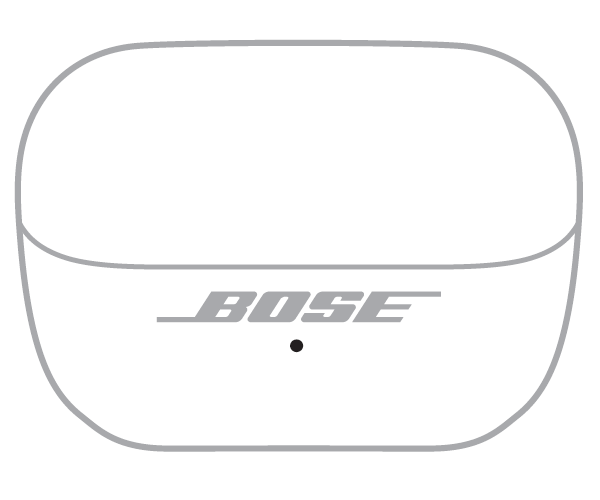
    case status light in front
  2. Close the lid on the case.
  3. When the status light on the front of the case stops glowing, open the lid, remove just the right earbud, and place it into your right ear.
    The welcome tone will play with a few seconds after being removed from the case. The connection chime will play if a recently connected device is in range.
  4. Place the left earbud in your ear. Once the welcome tone plays in the left earbud, you can continue using your earbuds.

Essayez une autre application.

Si le problÚme ne survient qu'avec une application spécifique, il est probable qu'il soit lié à cette application ou à ses paramÚtres.

Réinitialisez votre produit.

Comme pour un redĂ©marrage de smartphone, il peut ĂȘtre nĂ©cessaire de rĂ©initialiser votre produit de temps en temps pour rĂ©soudre de petits problĂšmes. Pour en savoir plus, consultez RĂ©initialiser votre produit.

RedĂ©marrez l’appareil Bluetooth auquel vous essayez de vous connecter.

Il peut ĂȘtre nĂ©cessaire de rĂ©initialiser l’électronique de temps en temps pour rĂ©soudre de petits problĂšmes. Cela se fait gĂ©nĂ©ralement en Ă©teignant l’appareil, puis en le rallumant.

Est-ce que cela a été utile ?

YES
NO
COMMENCER LA RÉPARATION OU LE REMPLACEMENT