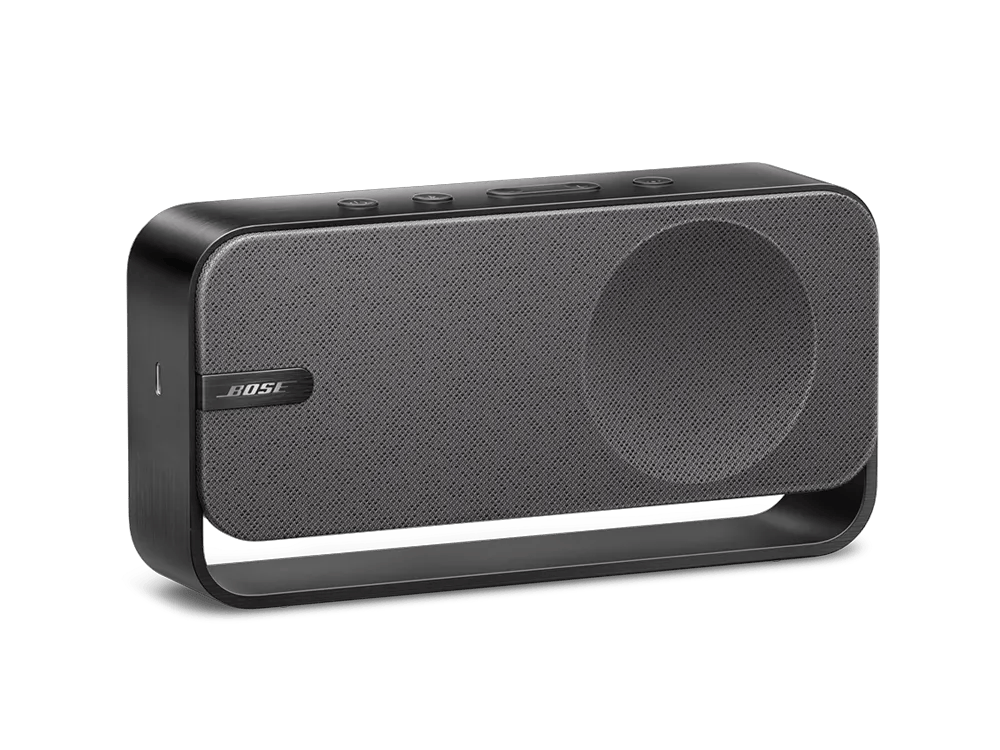
Connexion entre produits Bose Bluetooth | Bose SoundLink Home Bluetooth Speaker
bose-soundlink-home-bluetooth-speaker
Enceinte Bluetooth Bose SoundLink HomeVendu Ă  partir de 2024

Connexion entre produits Bose Bluetooth | Bose SoundLink Home Bluetooth Speaker

Cette enceinte ne peut se connecter qu'Ă  une autre SoundLink Home

Cette enceinte ne peut se connecter qu'Ă  une autre SoundLink Home en mode stĂ©rĂ©o. La connexion Ă  d’autres enceintes SoundLink (comme SoundLink Color, Revolve, Flex ou Max) n’est pas prise en charge.

Cette enceinte n’est pas compatible avec le Mode SoirĂ©e

Cette enceinte peut uniquement se connecter Ă  une autre enceinte SoundLink Home en Mode stĂ©rĂ©o, oĂč l’enceinte principale diffusera le canal gauche, l’enceinte secondaire diffusera le canal droit et les niveaux de volume seront synchronisĂ©s.
Le mode Party, oĂč les deux enceintes diffusent les deux canaux et oĂč les volumes sont rĂ©glables indĂ©pendamment, n’est pas pris en charge.

Connectez deux enceintes en mode stéréo

For a more immersive music experience, you can connect two Bose SoundLink Home Bluetooth Speakers together and play the same song from both speakers in stereo.
You can play stereo audio from either a Bluetooth device or USB audio source connected to the primary speaker.

NOTES:
  • During Stereo mode, the primary speaker can be connected to only one device at a time. If two devices are connected when Stereo mode is enabled, the older of the two connections is disconnected.
  • When Stereo mode is enabled, any devices connected to the secondary speaker are disconnected.
  • If you receive a call on your connected device during Stereo mode, the call audio plays only from the primary speaker.
  • During Stereo mode, powering off either speaker causes the other to power off as well.

Connect the speakers

  1. Make sure both speakers are powered on.
  2. Make sure one speaker is connected to your device or USB audio source. This will be the primary speaker.
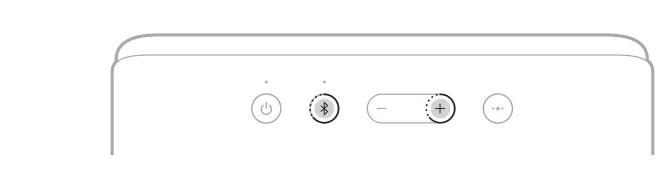
  3. On the speaker connected to your device or USB audio source, press and hold the Bluetooth button and the Volume up button + simultaneously until you hear “Press the Bluetooth and volume down buttons simultaneously on a second Bose device.”
    Speaker 1 (Left)
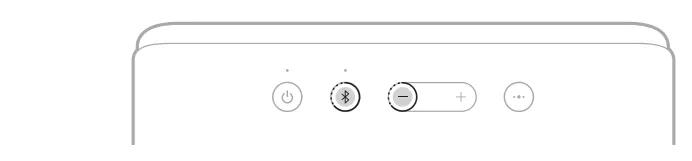
  4. On the other speaker, press and hold the Bluetooth button and the Volume down button - simultaneously until you hear a tone. You hear “Stereo mode,” followed by “Left” on the primary speaker and “Right” on the secondary speaker.
    Speaker 2 (Right)
  5. For the best experience, position the speakers:
    • In the same room or outdoor area
    • Within 10 ft (3 m) of each other, free from obstructions
    • Facing toward you
    • So that your distance to each speaker is equal
NOTE: Performance may vary based on device, distance, and environmental factors.

Identify the left and right speakers

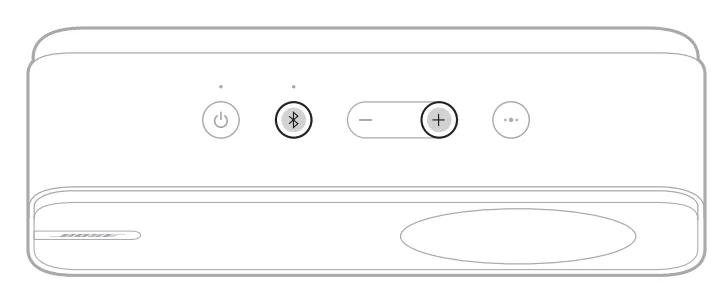
  • To check whether a speaker is the primary speaker (left) or the secondary speaker (right), press the Bluetooth button and the Volume up button + simultaneously on the speaker.
  • You hear “Stereo mode,” followed by either “Left” or “Right.”

Disconnect the speakers

Power off one of the speakers to disconnect them

Reconnect the speakers

When either speaker is powered on, it reconnects to the most recently connected speaker.
NOTE: The other speaker must be within range (30 ft or 9 m) and powered on


Clear the speaker connection

Clearing the speaker connection causes the speakers to no longer reconnect to each other when powered on.
  1. Make sure both speakers are powered on.
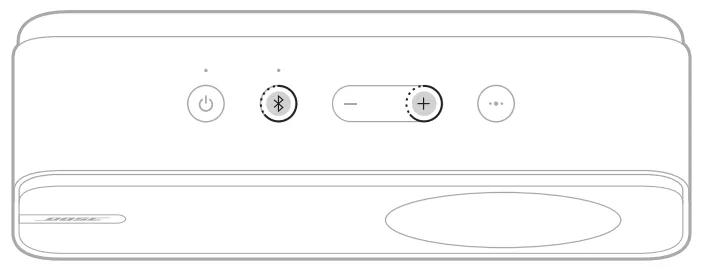
  2. On one of the speakers, press and hold the Bluetooth button l and the Volume up button + simultaneously until you hear “Bose speakers unlinked.”
The speakers are disconnected and the speaker connection is cleared.

Note: Clearing the speaker device list on either speaker will also achieve this. See Clearing the product memory of paired Bluetooth devices

Est-ce que cela a été utile ?

YES
NO
COMMENCER LA RÉPARATION OU LE REMPLACEMENT